In Linux operating systems, background processes are referred to as “daemons.” Daemons are very useful to cybersecurity professionals in helping to unobtrusively capture activity on a monitored network. This post will demonstrate a Python script that runs a simple daemon as well as the management and troubleshooting of the process with the supervisor program.
Here is the Python script for the example daemon:
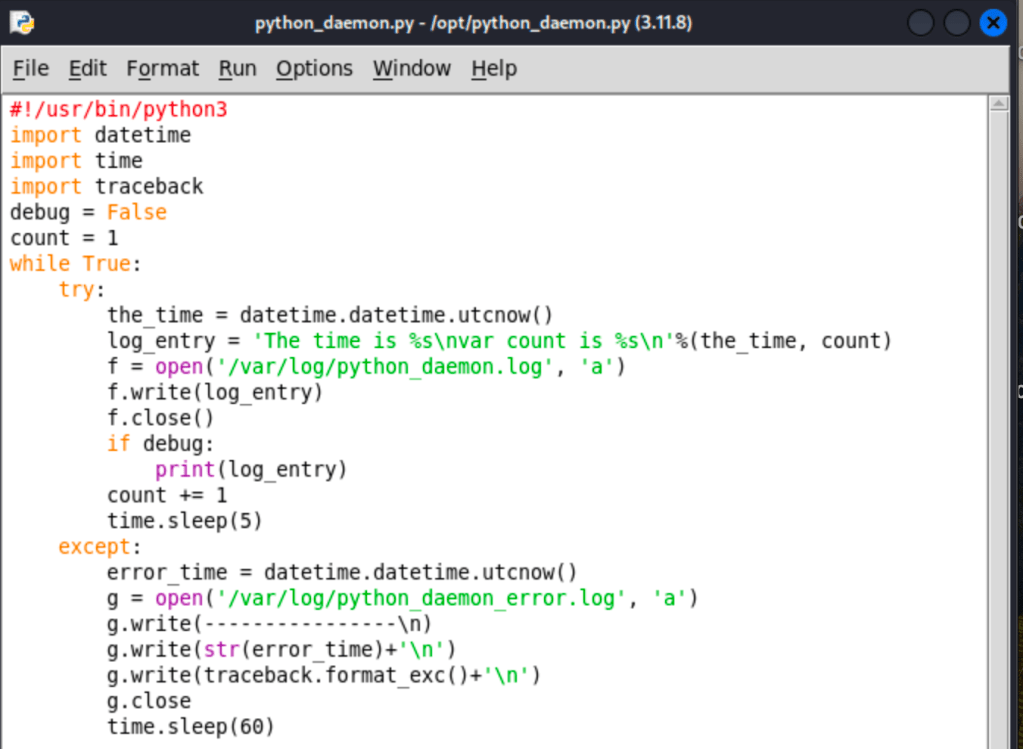
I’m not going to cover this script in detail, as it isn’t very useful in and of itself. The only function is to count up and write the count and time to an entry log (or log an error if one occurs). Now, to get it functioning as a daemon. In my Kali Linux terminal, I’ll migrate to the /etc/supervisor/conf.d directory and create the file python_daemon.conf file with the vim text editor.
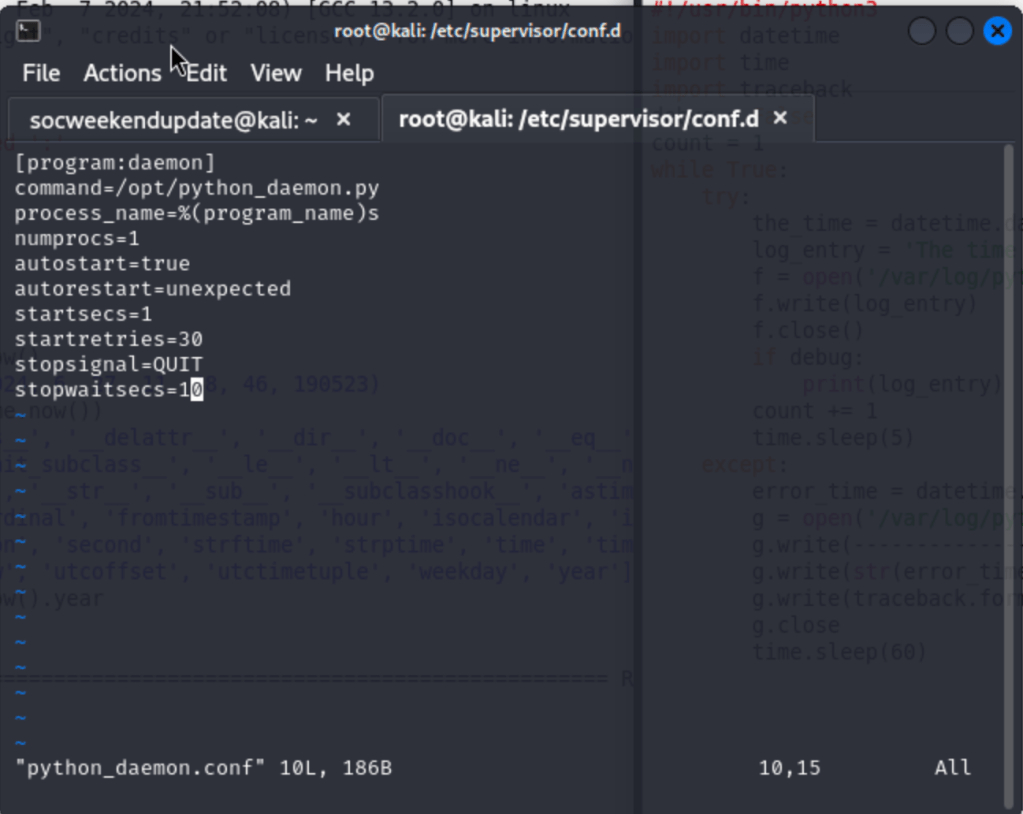
I will add lines that define my program as a daemon, designate a filepath to my script in the /opt directory, set some time and process parameters, and save and exit the configuration file.
Now that the daemon is set up, I’ll restart supervisor and check the status to verify that it’s running as expected.
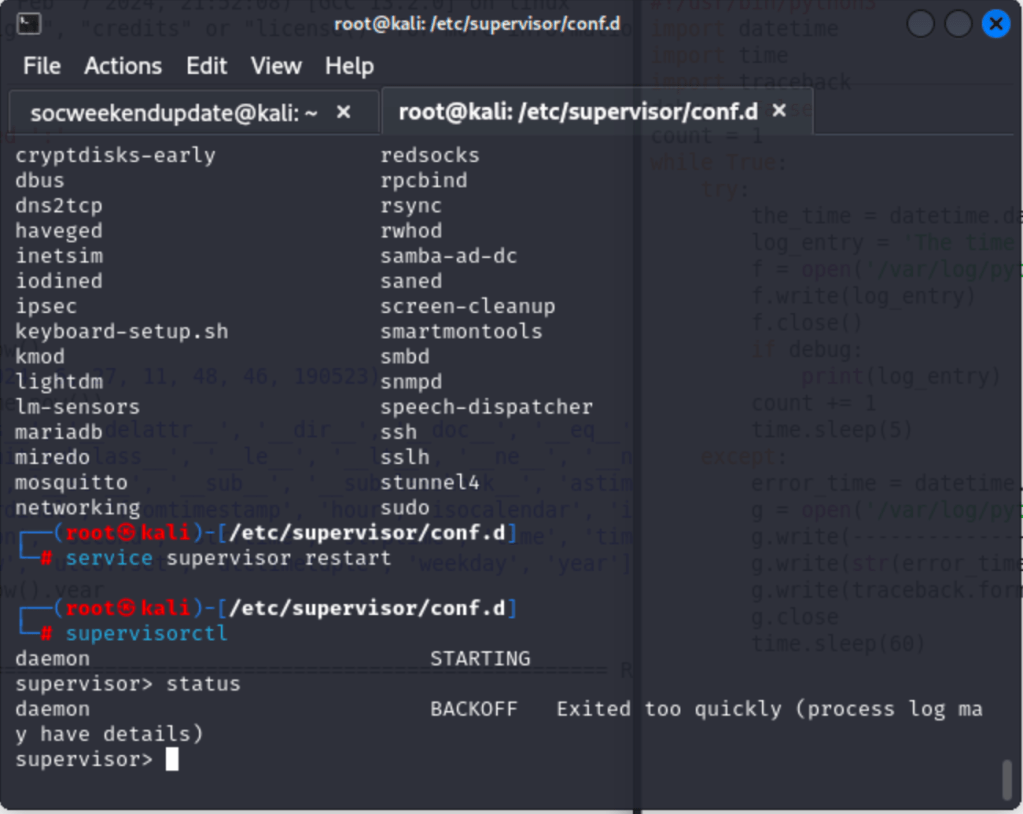
And…it’s not. Since I’ve set up an error log, I’m going to exit supervisor and head to the error log file that it’s directing me to check.
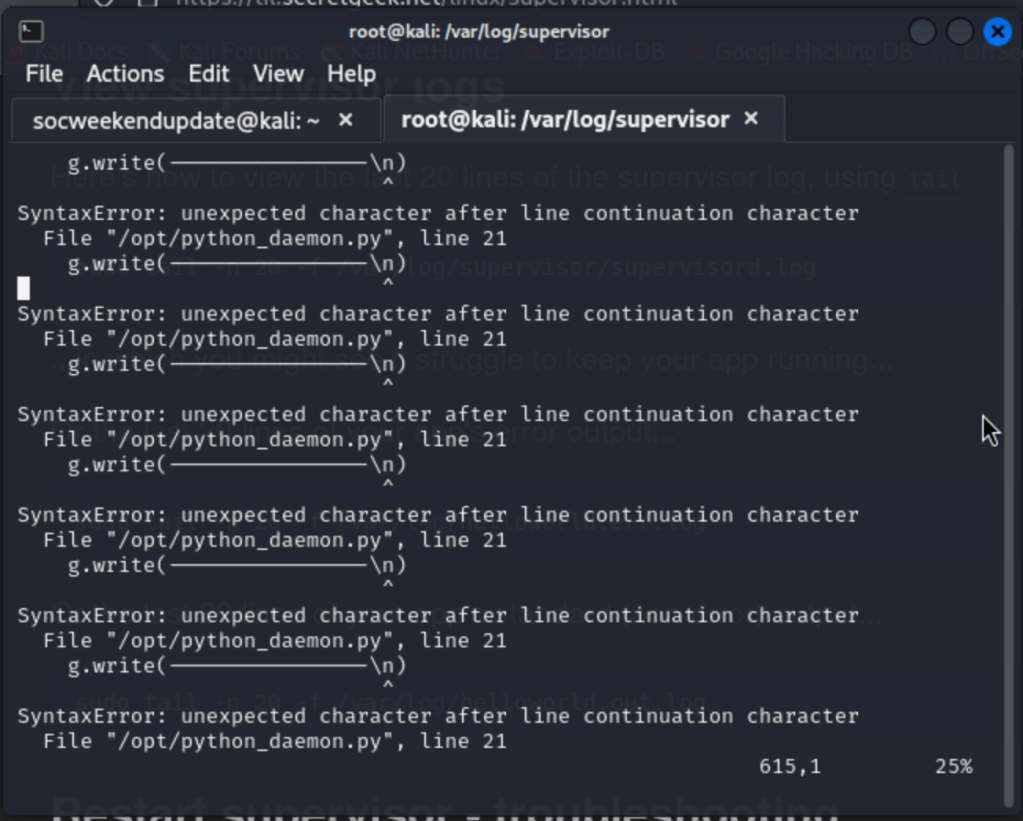
Well, I didn’t define the object of my write function as a string (line 21 of the script), so it’s creating an error. Reopening my script and fixing my syntax error, then restarting supervisor again, however, still gives tells me the daemon is backing off before it can run.
I’ll look around supervisor for some more information. Running the status command gives me this output:
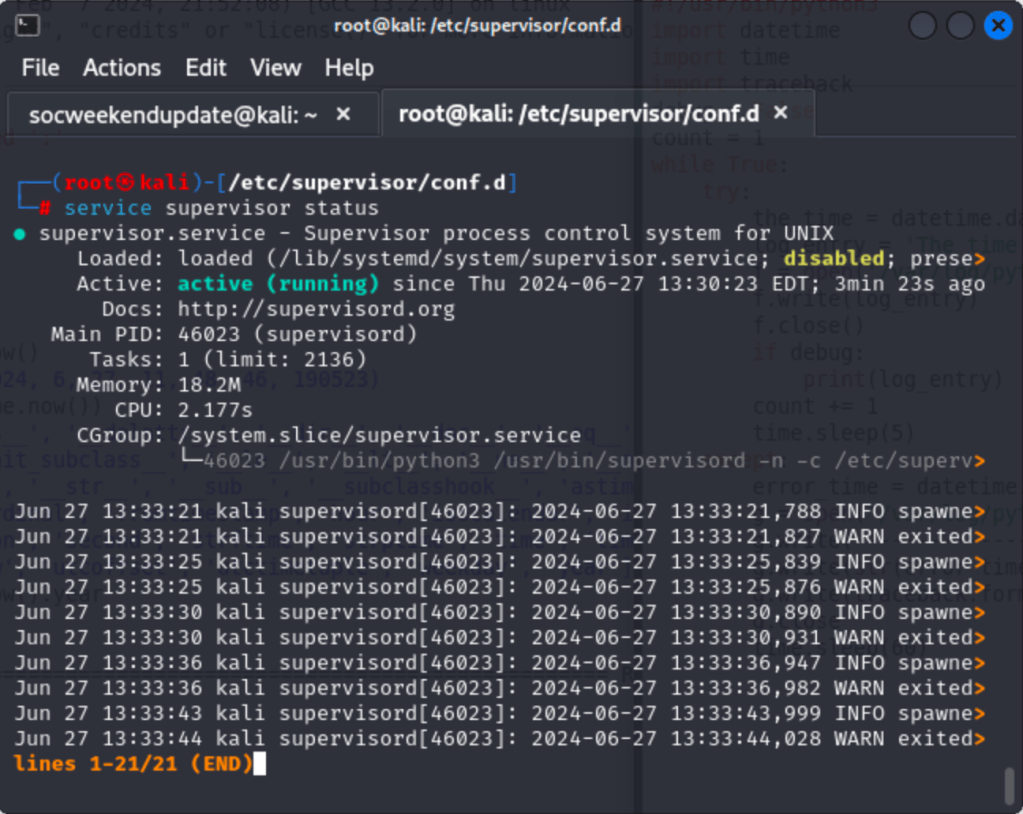
So, while supervisor is running, it’s disabled at the load point. The filepath directs me to /lib/systemd/system/supervisor.service. At this point, because I’d previously added a file to systemd (with a .service extension) to get a transparent bridge running on my Kali VM, I thought perhaps that was causing a conflict. I opened that file, disabled that service using systemctl, and restarted my VM and supervisor, and…my daemon still would not run!
However, I was finally on the right track using systemctl. Given that I had been able to run a simple disable command to stop the other process (myscript.service), and had run an enable command when I had set it up, could I start supervisor.service the same way?
Running the command systemctl enable supervisor, rebooting, and checking the output of my log file, it was finally working as expected!
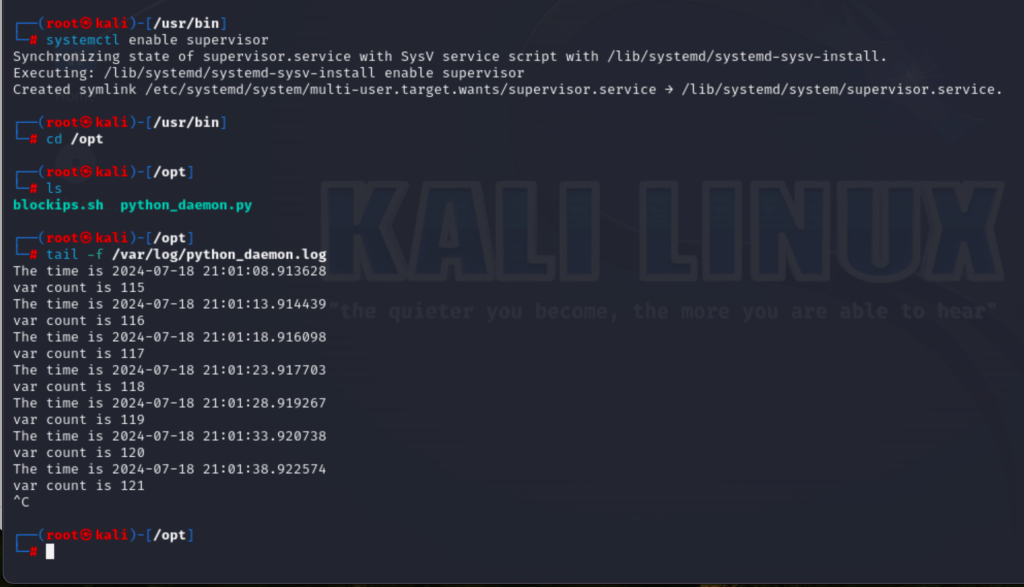
(Note this is a screenshot I took later on to demonstrate that my daemon is working as intended, not the actual point when I fixed it. Unfortunately I didn’t capture it at the time).
That’s a wrap on daemons and the troubleshooting process I went through to get it functioning properly.
 Ian Shaughnessy's Cybersecurity Portfolio
Leave a comment