As long as your device has the necessary resources, virtual machines are an excellent way to run multiple operating systems on the same computer without the hassle of dual booting. There are several options for VM hypervisors available to consumers, but today I’ll be going with VMWare’s Fusion hypervisor as I am working on a Mac with an Apple silicon processor. I’ll assign 2 processor cores, 20 GB of SSD storage space, and the recommended 4 GB of RAM to this VM, well within my Mac’s specs.
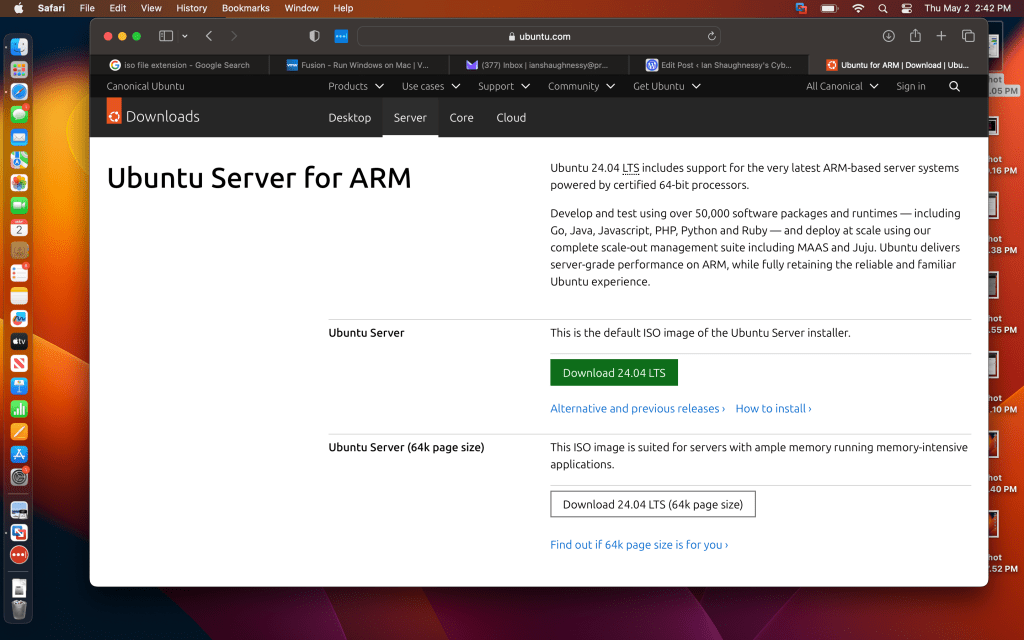
Next, we need our OS disk image, or ISO file. I’ll be using Ubuntu Server for ARM for this demonstration, as Ubuntu Desktop doesn’t run on ARM hardware (yes, I found this out the hard way). I’ll be foregoing the GUI, but we’re all CLI pros here, right?
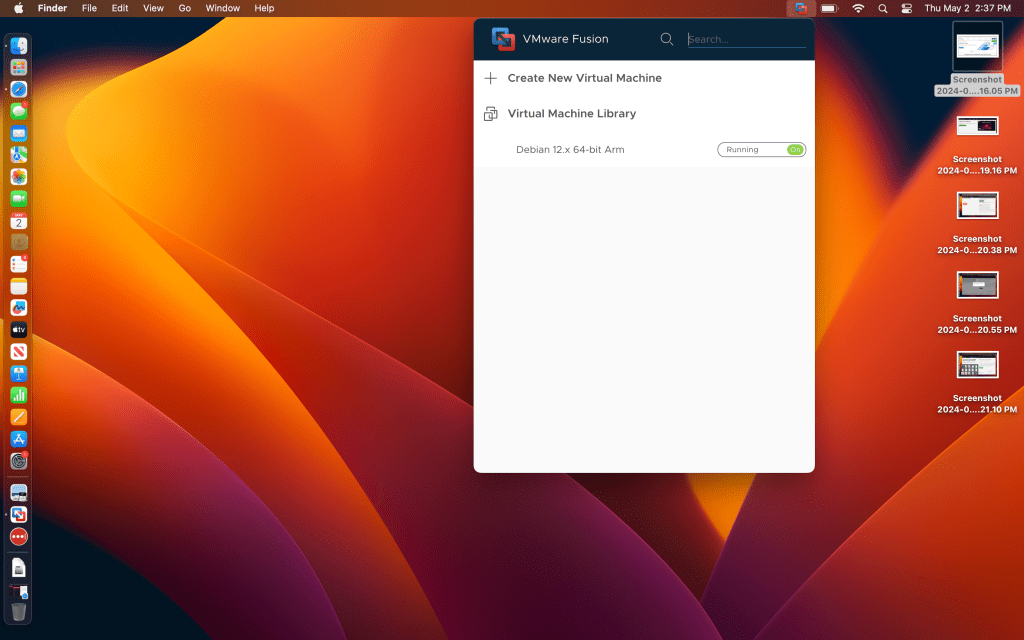
Once the ISO is downloaded, I’ll open Fusion and select “Create New Virtual Machine.”
The window pictured below will open.
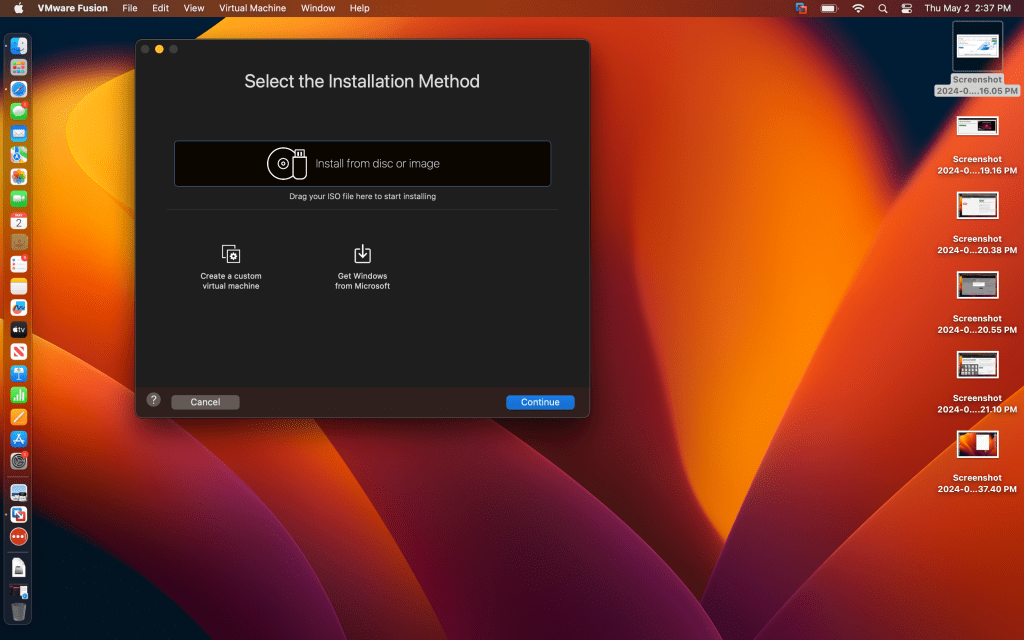
I’ll locate my ISO in the Downloads folder and drag it over.
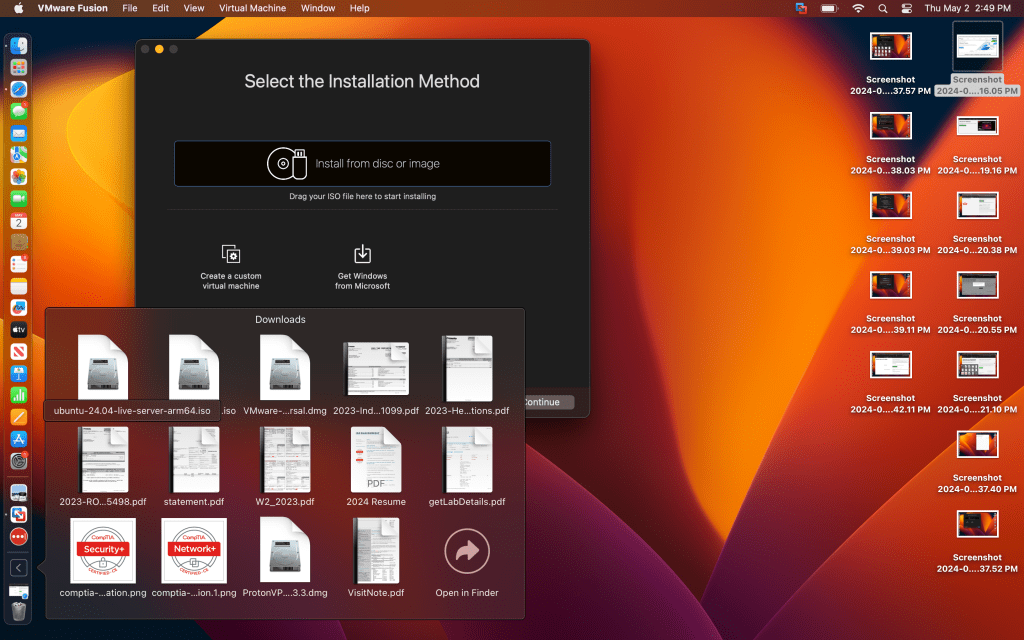
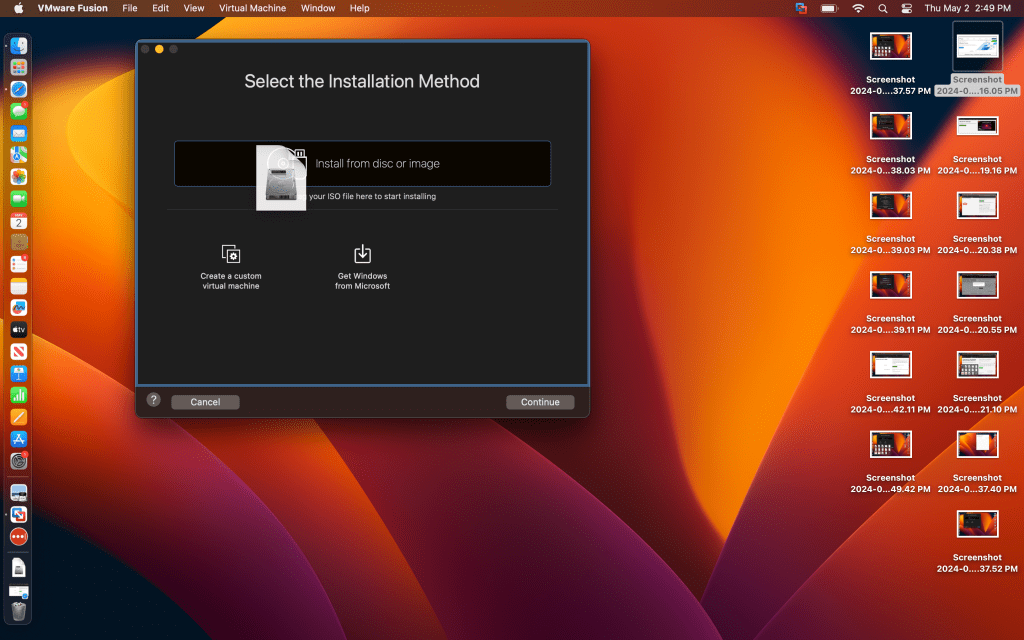
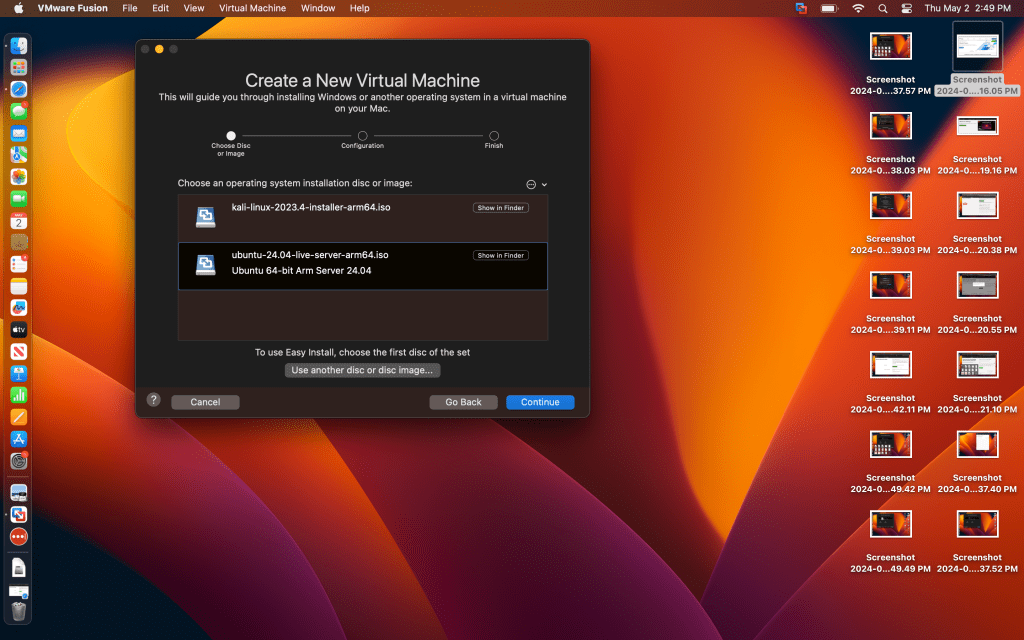
Here, I’ll select Ubuntu as my image and continue.
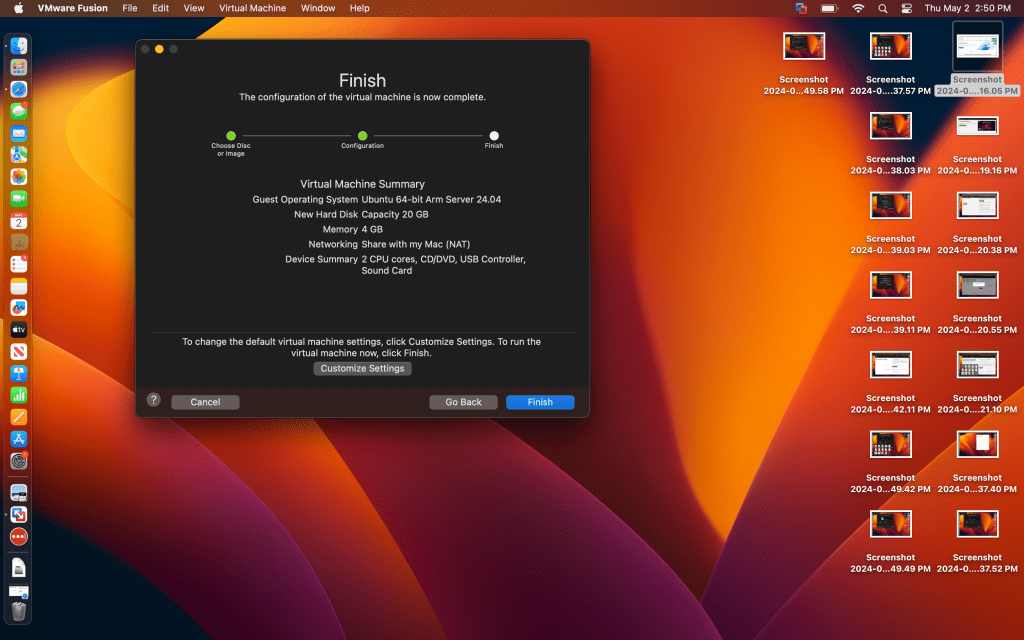
And I’m content with these hardware settings, so I’ll select Finish.
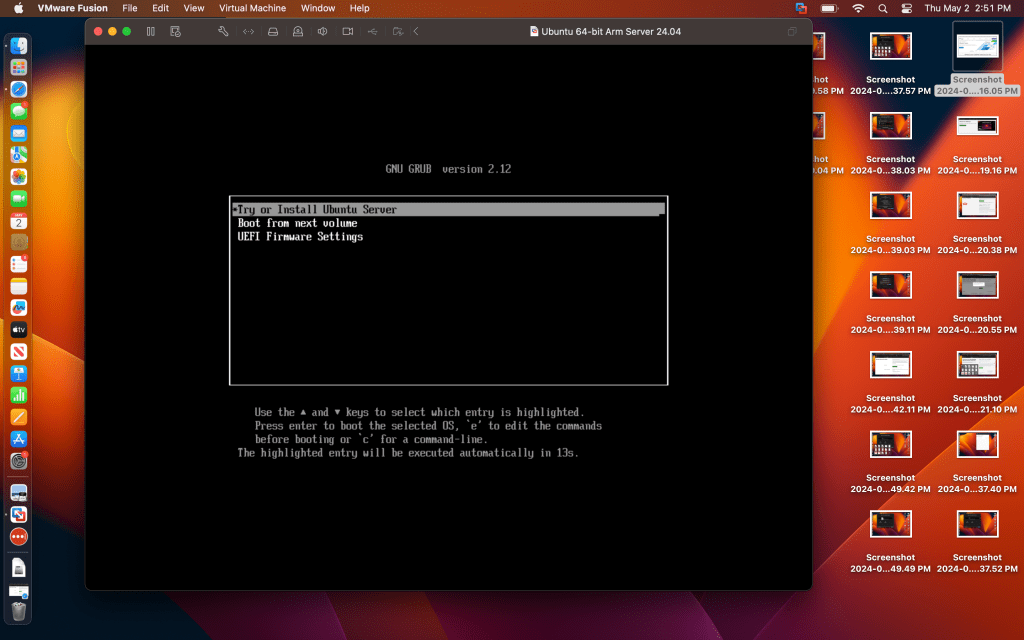
Now, on to the meat of the install. I’ll press ENTER to select the highlighted line.
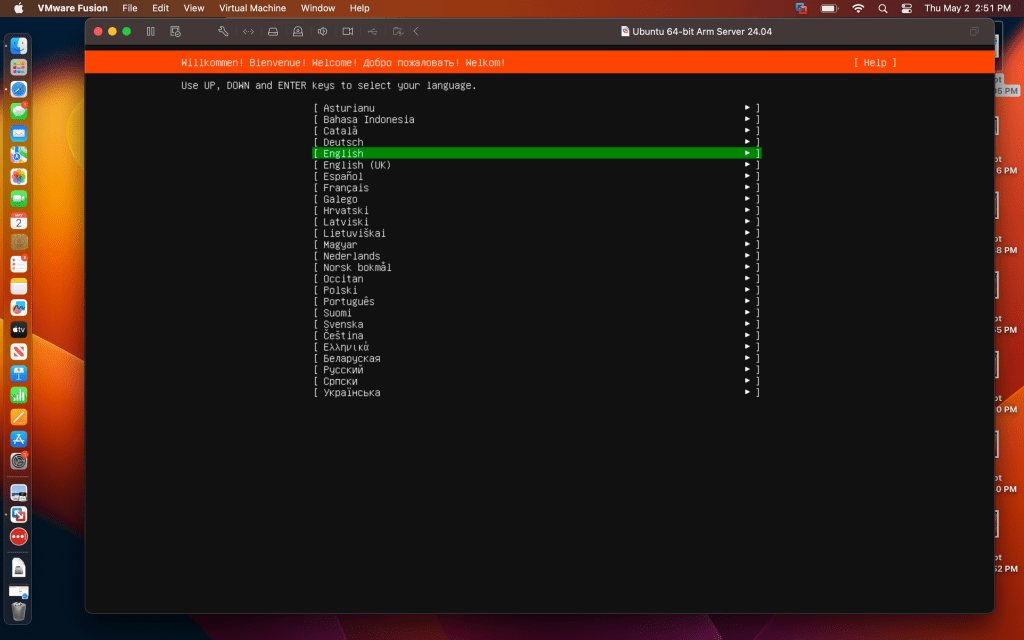
Next, I’ll select English as my language.
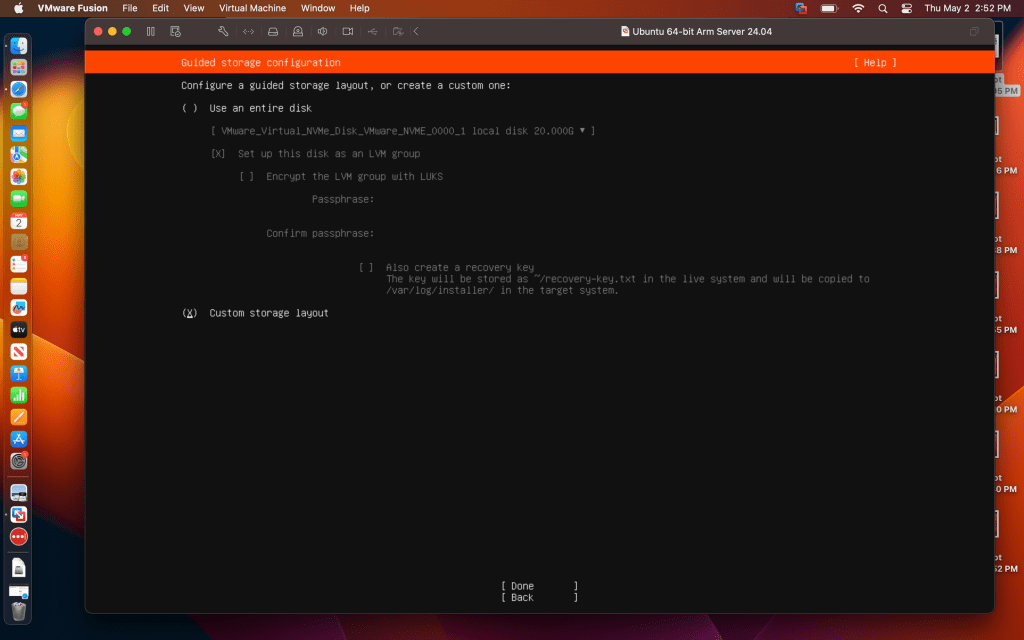
Then, I’m given some storage options. Using the selected virtual disk will overwrite a previous VM I set up, but there’s no important data in there so I’ll use it for simplicity’s sake.
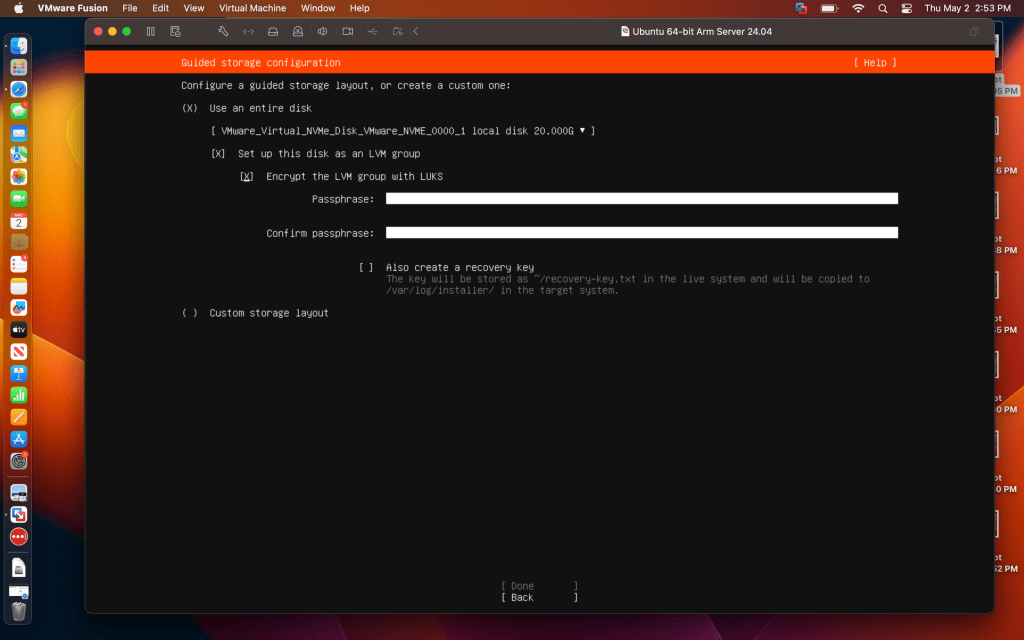
And since I’m a security-minded guy, I’ll choose the option to encrypt my virtual disk. I’ll be asked to enter this password whenever I restart this VM.
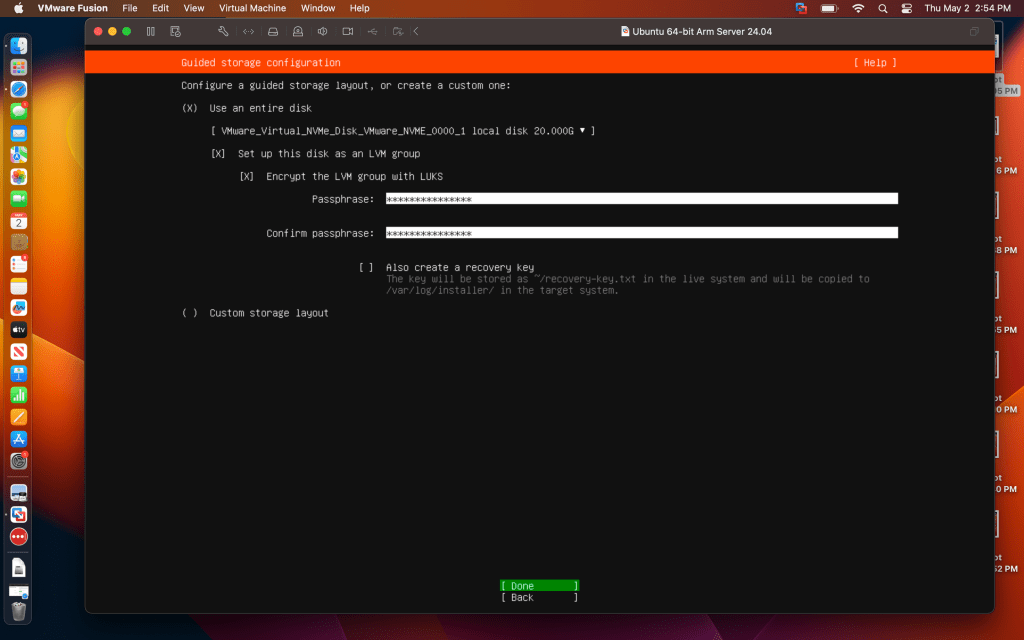
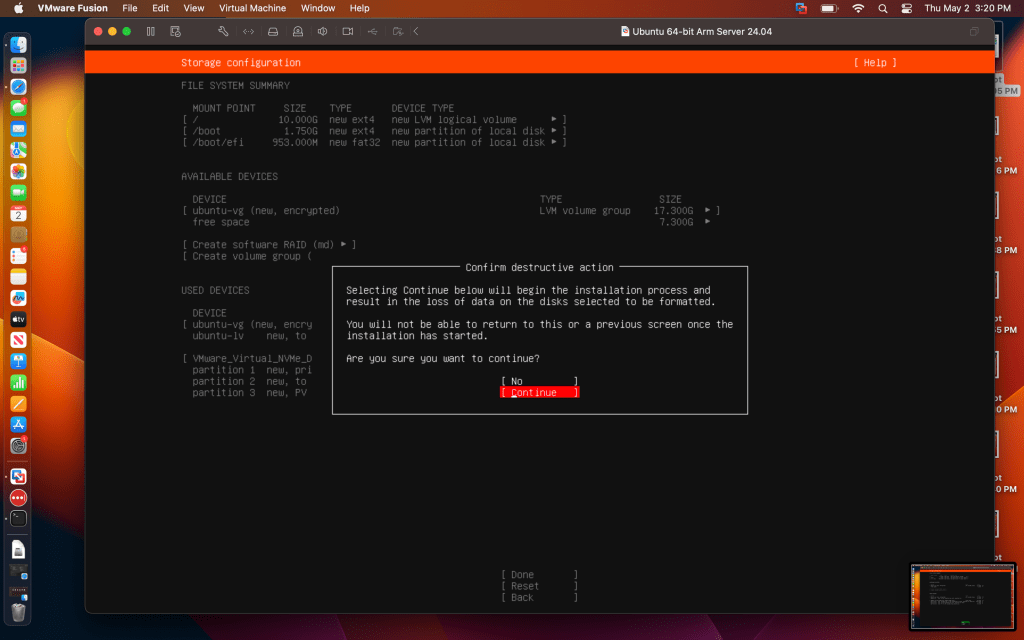
I’ll select Continue.
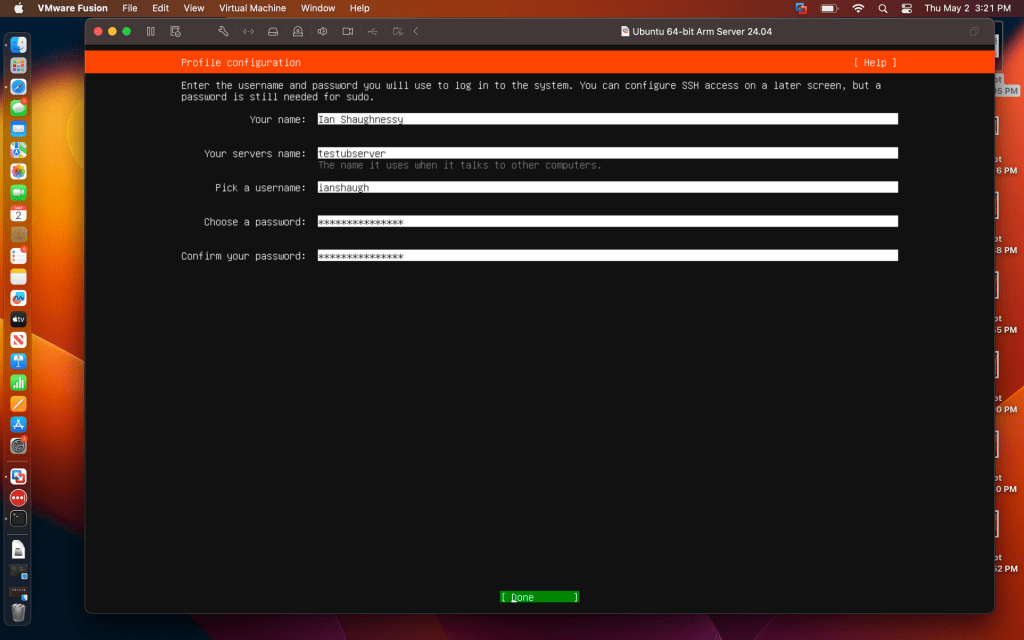
Time to hand out usernames and passwords.
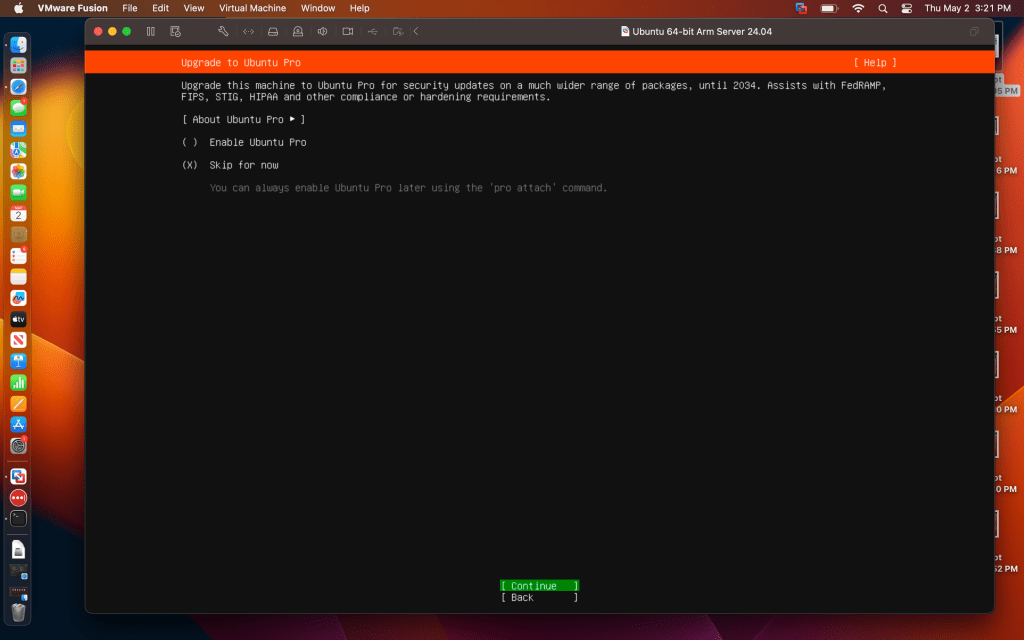
Skip for now, this is just a test machine for personal use.

And the install has run! Time to reboot, decrypt our virtual disk, enter login credentials and…
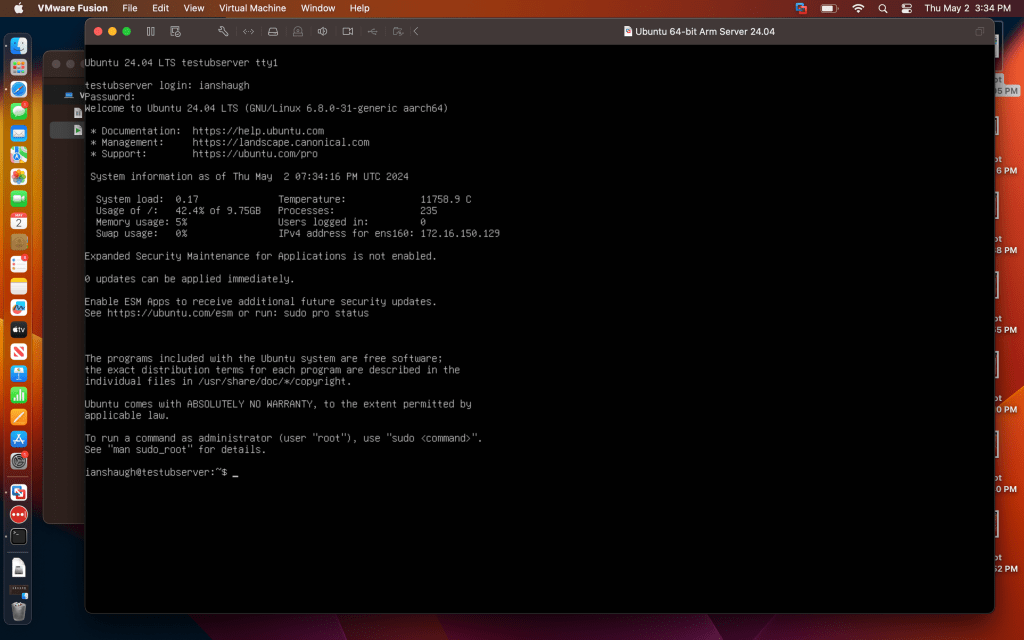
…here’s our functional Ubuntu Server, running as a virtual instance right on my Mac. I can pop out easily to Mac OS if I need some help finding my way around, and pause or shutdown the instance when I need. If I want to run a different distribution of Linux (or Windows for that matter, but why would I want to do that?), I can always create another instance using the same process. Time to practice my Bash scripting skills!
 Ian Shaughnessy's Cybersecurity Portfolio
Leave a comment